Menu
In this section we handle
- backdrops
- buttons
- background music
https://scratch.mit.edu/projects/391162659
Backdrops
For this project we select two backdrops
- Forest for the home screen
- Savanna for the play screen
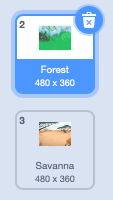
The home screen has a play button. The play screen has a home button.
The home screen
When the program starts we
- switch to the Forest background
- show the Play button
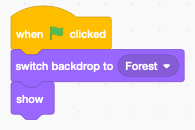
We could add more buttons for options, high-score, etc.
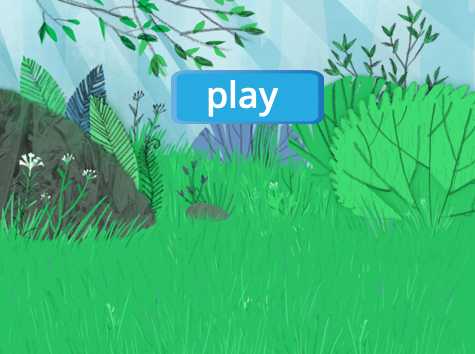
The play button
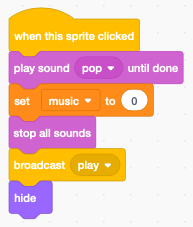
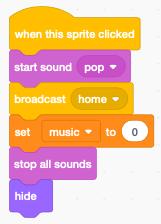
When the play button is clicked we
- play a pop sound
- set the boolean variable music to zero (to stop the music loop)
- stop all sounds
- broadcast the message play
- hide the play button
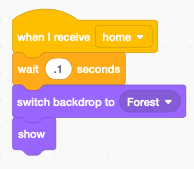
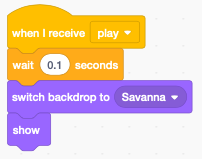
When the play button receives the home message it
- waits 0.1 seconds (to be sure the old music stops)
- switch to the home background to Forest
- show the button
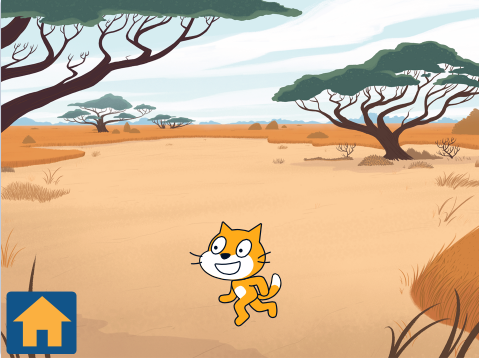
The home button
The program always starts with the home screen, so initially the home button is hidden.
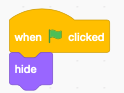
When the home clicked is clicked it stops the current music and broadcasts the home message.
When it receives the play message it shows play screen and home button.
Background music
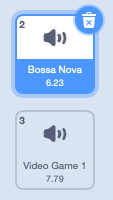
The background music is associated with the stage. We choose:
- Bossa Nova for the home screen
- Video Game 1 for the play screen
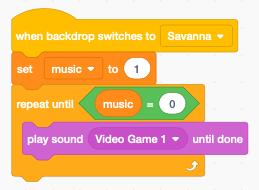
When the backdrop switches, a new music is played
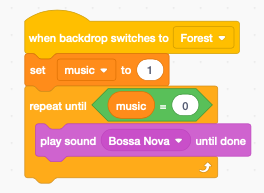
- the boolean variable music is set to 1
- the sound is repeated until the boolean music is reset to 0